svcupdate.exe: A Nuitka-Packaged Telegram RAT and Credential Stealer
A fake Microsoft updater that's really a Nuitka-packed Telegram RAT. It grabs webcam shots, screenshots, browser and Discord logins, and Wi-Fi passwords, then sends it all back through a Telegram bot.
While browsing around on X, I saw that @smica83 had reported a svcupdate.exe sample. https://x.com/smica83/status/2126036242383179941
A 65 MB Windows executable named svcupdate.exe turned out to be more than a suspicious updater. Static analysis shows a two-stage Nuitka onefile package: a native launcher decompresses a 55-member archive into a temporary directory, starts a compiled Python payload, and that payload operates as a Telegram-controlled remote access tool and credential stealer.
The payload gives an operator an inline keyboard for webcam capture, single- and multi-monitor screenshots, Discord and browser credential collection, Wi-Fi profile extraction, removal of its persistence, and a system-information beacon. All command traffic and exfiltration travel through the Telegram Bot API.
Lure and masquerade#
The lure is the executable identity itself: both layers declare Microsoft Corporation, Windows Service Host, Windows Service Host Helper, version 10.0.22621.1, and original filename svcupdate.exe. Persistence continues the impersonation through %APPDATA%\Microsoft\Windows\SystemData\svcupdate.exe and the Run-key value WindowsSystemUpdate. The binary is unsigned, so the Microsoft identity is a visual and metadata disguise rather than a legitimate signed component.
Package structure#
The submitted file is a PE32+ x64 GUI executable with eleven sections and no overlay. It is a Nuitka onefile launcher. Its .rdata section contains a KAY marker followed by a zstd frame. The launcher checks that marker, streams the frame through its zstd decoder, verifies each archive member with CRC32, writes the members into a temporary directory under Microsoft\DeviceMetadata, and starts the first member as a child process.
| Layer | Size | SHA-256 |
|---|---|---|
| Outer onefile launcher | 65,462,784 bytes | 667258f4b0feb8a96338bcf84d796b1f672ab6060d9e8cd8ca0954997be54855 |
| Decompressed archive stream | 258,763,524 bytes | 15413a3f864a2def41bac82e734c917888e14c16225e0a35daac6859ab17caf3 |
| Child RAT payload | 59,864,064 bytes | 3bb0865c52322b80b3a22b386cb6c14ff0c8ca9ffff8197bd22c371fa8b67f7a |
The archive contains 55 members. The first is the child executable; the rest are runtime dependencies including python312.dll, libcrypto-3.dll, libssl-3.dll, cv2.pyd, numpy, PIL, cryptography, zstandard, pywintypes312.dll, and certifi\cacert.pem.
Both layers carry Microsoft-themed version resources: Microsoft Corporation, Windows Service Host, Windows Service Host Helper, 10.0.22621.1, and original filename svcupdate.exe.
We know that it is a Nuitka onfile package from several independent indicators in the bytes and decompiled loader.
- Direct Nuitka onefile strings
The outer PE contains:
NUITKA_ONEFILE_PARENT
NUITKA_ONEFILE_RANDOM
NUITKA_ONEFILE_START
NUITKA_ONEFILE_TIME_US
NUITKA_ONEFILE_DIRECTORY
NUITKA_ORIGINAL_ARGV0
Error, couldn't launch child
Error, couldn't unpack file to target path.- Decompiled onefile bootstrap logic
FUN_140014680 performs the onefile bootstrap:
- expands
{CACHE_DIR}\Microsoft\DeviceMetadata - sets
NUITKA_ONEFILE_*environment variables - checks the attached
KAYheader - decompresses the attached zstd stream
- writes extracted files
- launches the extracted executable with
CreateProcessW
- Attached payload format
At the start of the attached payload:
file offset 0x20850: 4b 41 59       = KAY
file offset 0x20853: 28 b5 2f fd    = zstd magic
The decoder FUN_140013360 explicitly checks zstd magic 0x184D2A50.
- Extracted archive layout
The decompressed stream contains 55 members. Each member is:
UTF-16LE name + u64 size + u32 CRC32 + dataThe first member is the child svcupdate.exe. The remaining members are Python/Nuitka runtime dependencies including:
python312.dll
cv2.pyd
numpy
PIL
cryptography
zstandard- Nuitka constant blob in the child
The child contains Nuitka runtime markers and serialized constants:
__nuitka_freeze_support
.__parents_main__-preLoad
NUITKA_PACKAGE_cv2
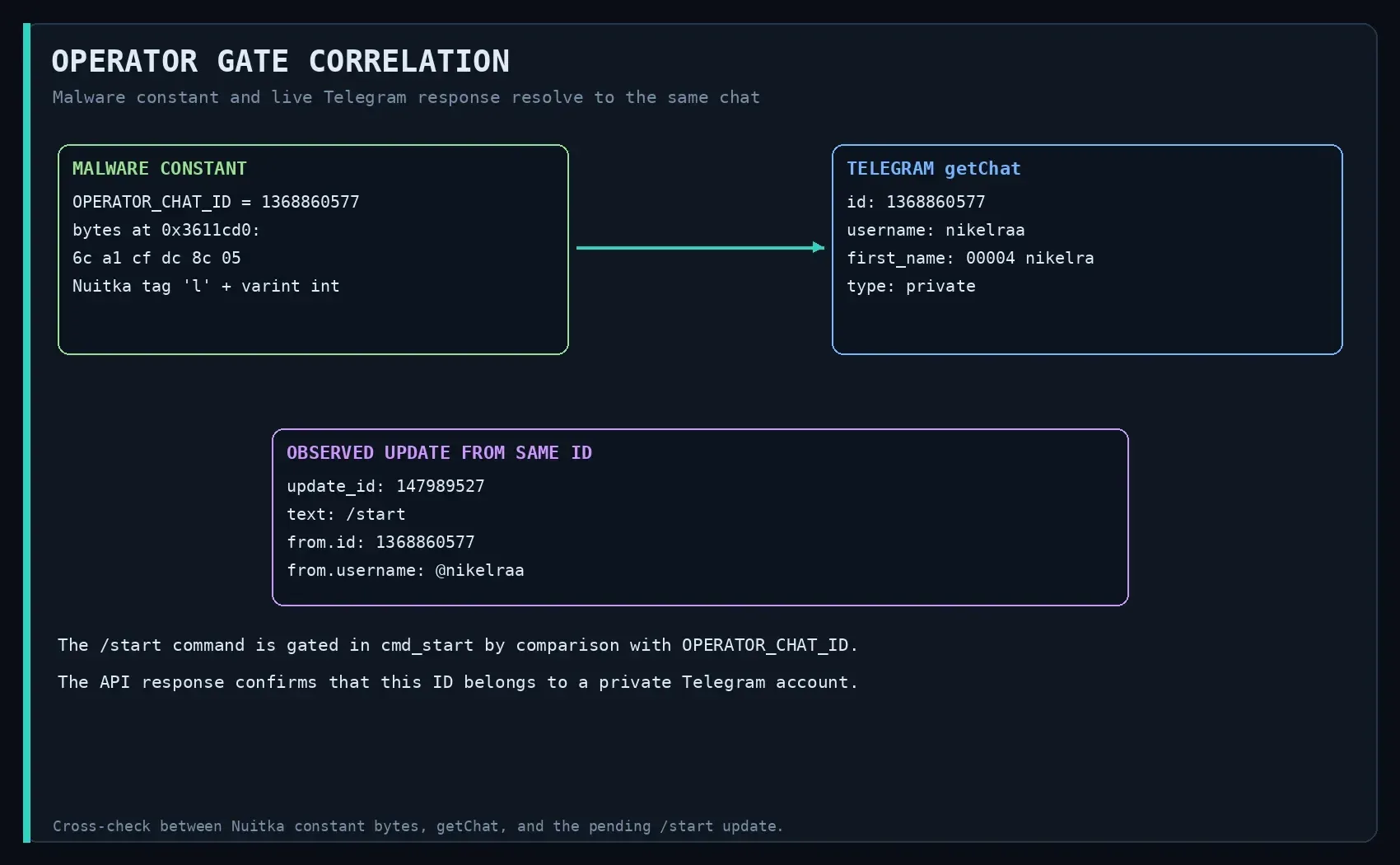
The serialized constants use Nuitka’s tag format (u, a, T, l, C, etc.). Parsing that blob with the Nuitka spec recovered the bot token, operator chat ID, and max_workers=4.
Execution flow#
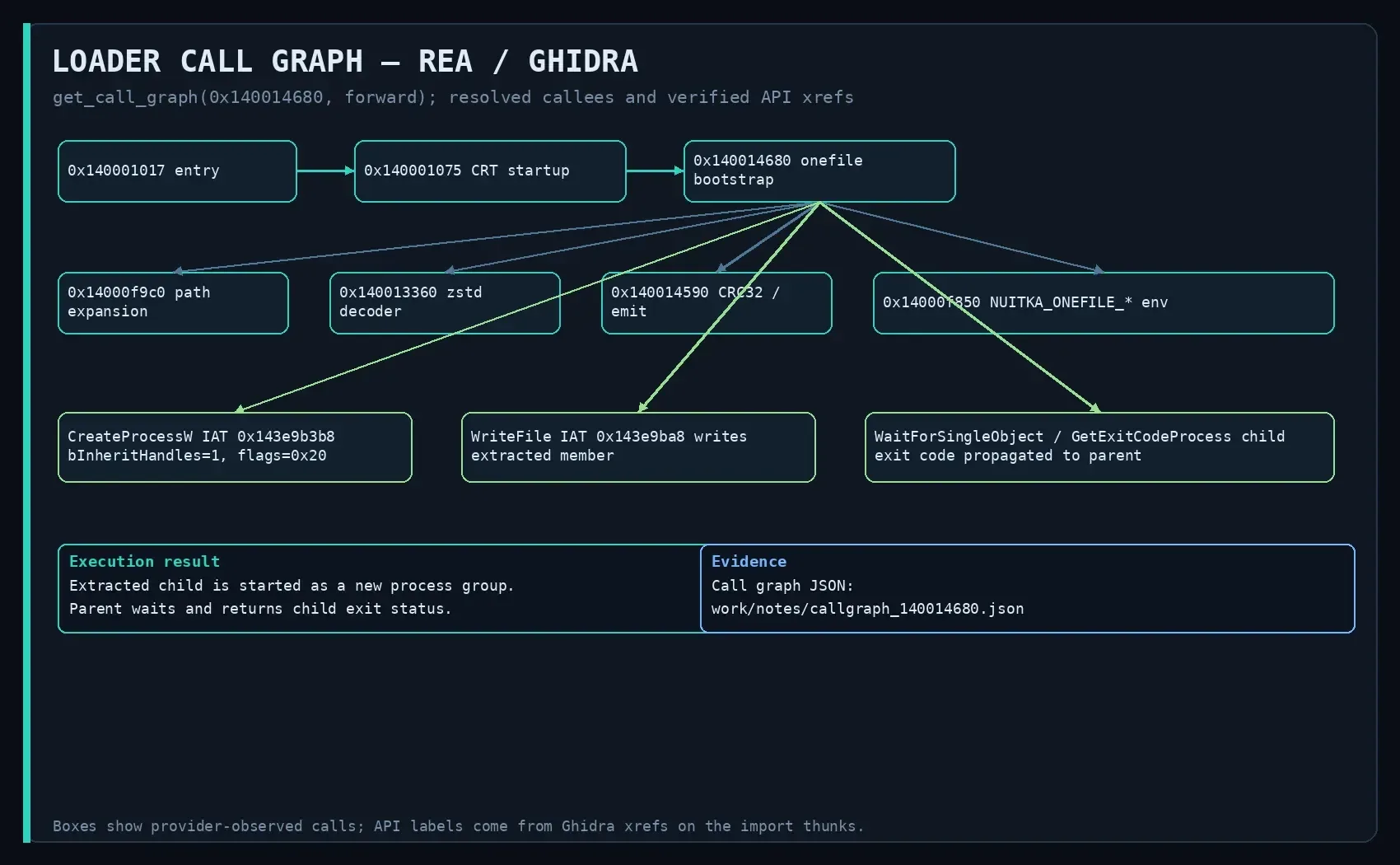
The native launcher was decompiled locally. Its entry point leads to the CRT startup routine and then to the onefile bootstrap at FUN_140014680. Two TLS callbacks are present, but they only perform CRT TLS initialization.
The bootstrap sets up NUITKA_ONEFILE_* environment variables, resolves a temporary path through {CACHE_DIR}\Microsoft\DeviceMetadata, checks the KAY attached-data header, and calls FUN_140013360, which tests for the zstd magic value 0x184D2A50. Extracted members are CRC-checked against any existing on-disk copy, rewritten when necessary, and the child is launched with CreateProcessW using inherited handles and CREATE_NEW_PROCESS_GROUP.
The attached-data gate and stream decoder are visible directly in the decompiled loader: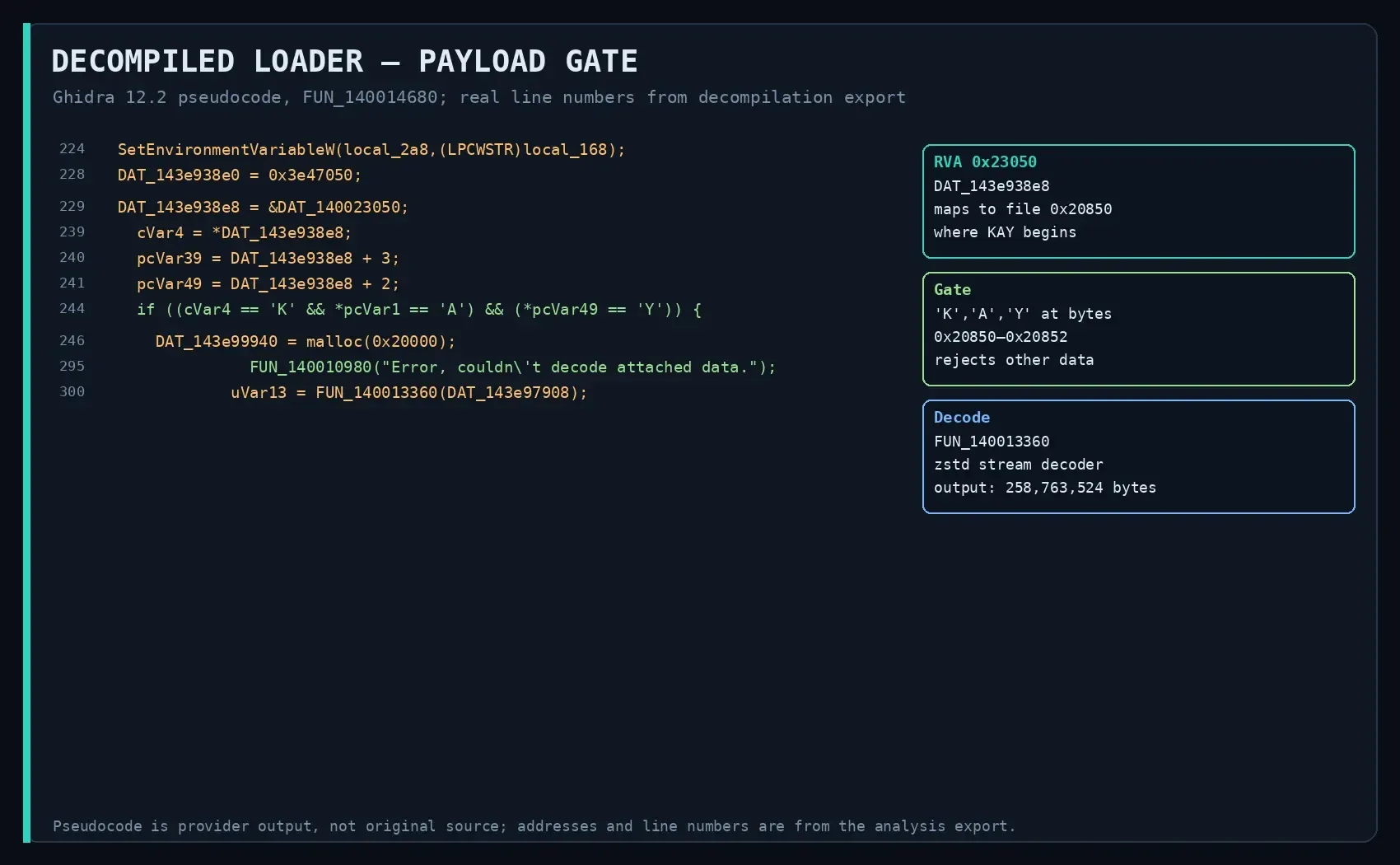
The resolved function inventory locates every hop in the loader:
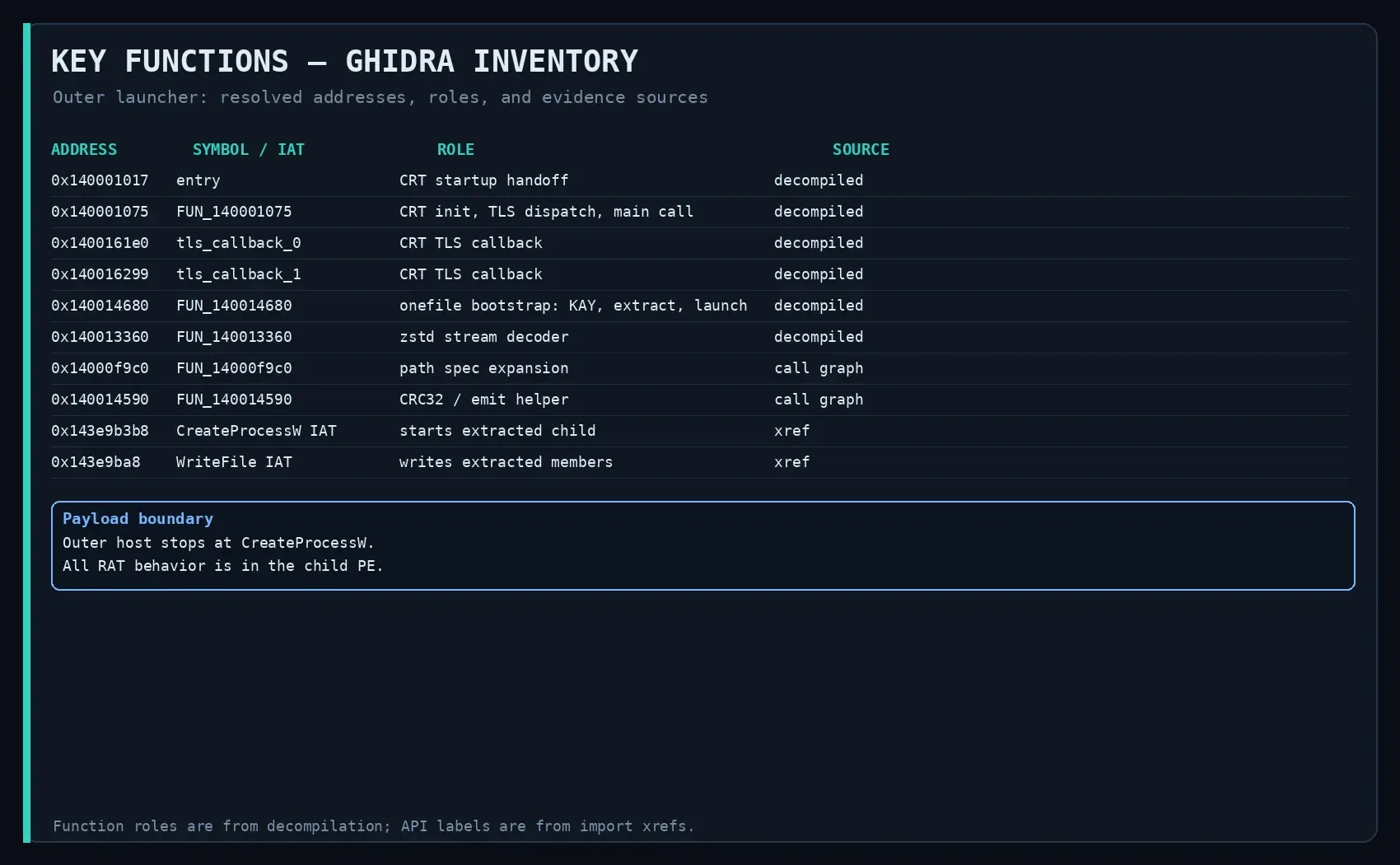
Inside the child, the compiled Python application performs installation and persistence before entering the Telegram polling loop.
Persistence#
The installer copies the running executable to:
%APPDATA%\Microsoft\Windows\SystemData\svcupdate.exeIt then opens:
HKCU\Software\Microsoft\Windows\CurrentVersion\Runand writes a REG_SZ value named WindowsSystemUpdate pointing at the copied executable. A locked-file helper uses CreateFileW, ReadFile, and CloseHandle with broad share flags so browser and Discord database files can be copied while in use. Failures are logged to svc.log in the temporary directory.
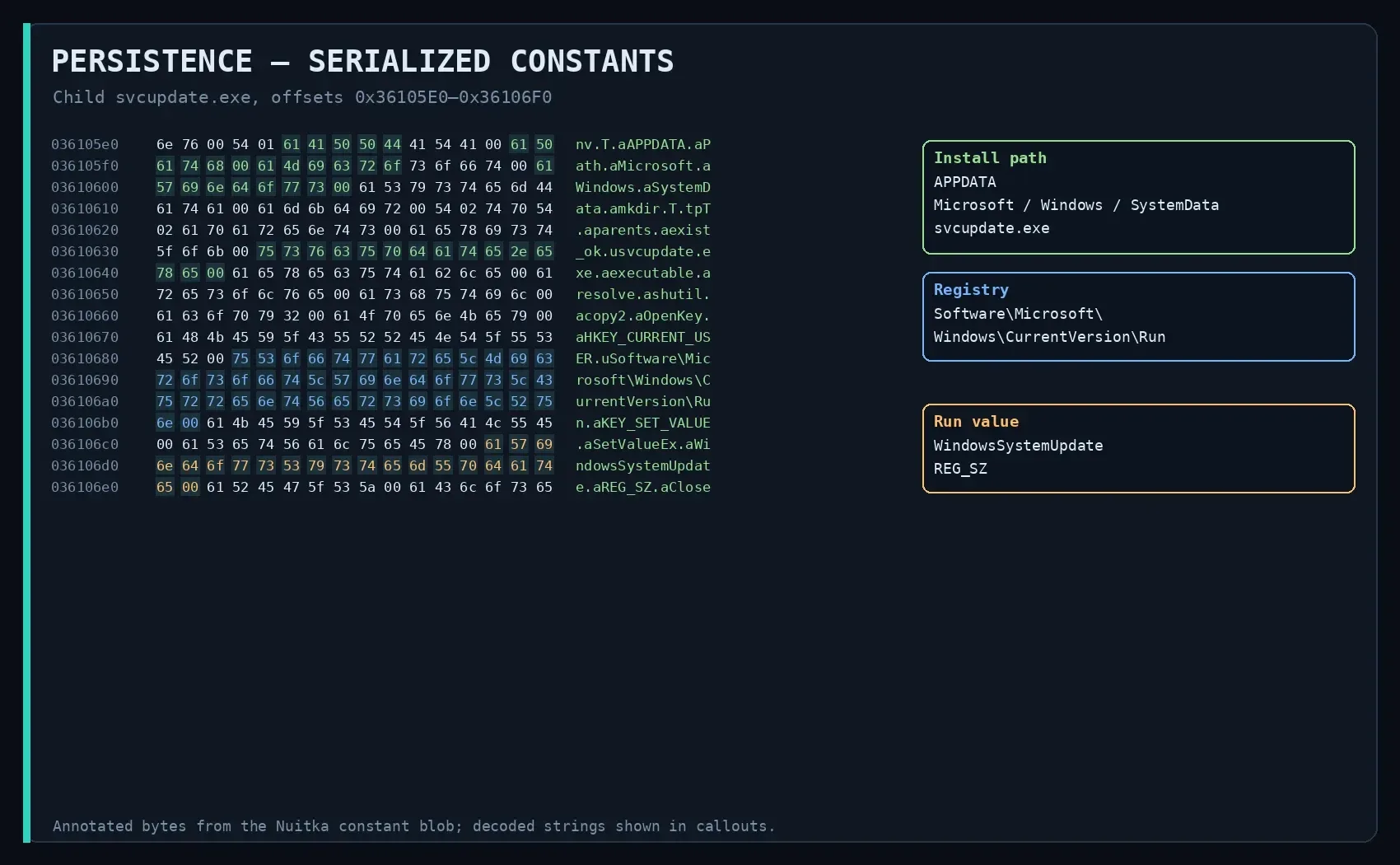
The kill callback deletes the WindowsSystemUpdate value through winreg.DeleteValue.
Telegram command and control#
The payload uses python-telegram-bot. It builds an application with the embedded bot token and starts run_polling with allowed_updates=Update.ALL_TYPES and drop_pending_updates=True. A four-worker ThreadPoolExecutor handles capture and collection jobs off the polling loop.
The embedded configuration appears as serialized bytes in the child:
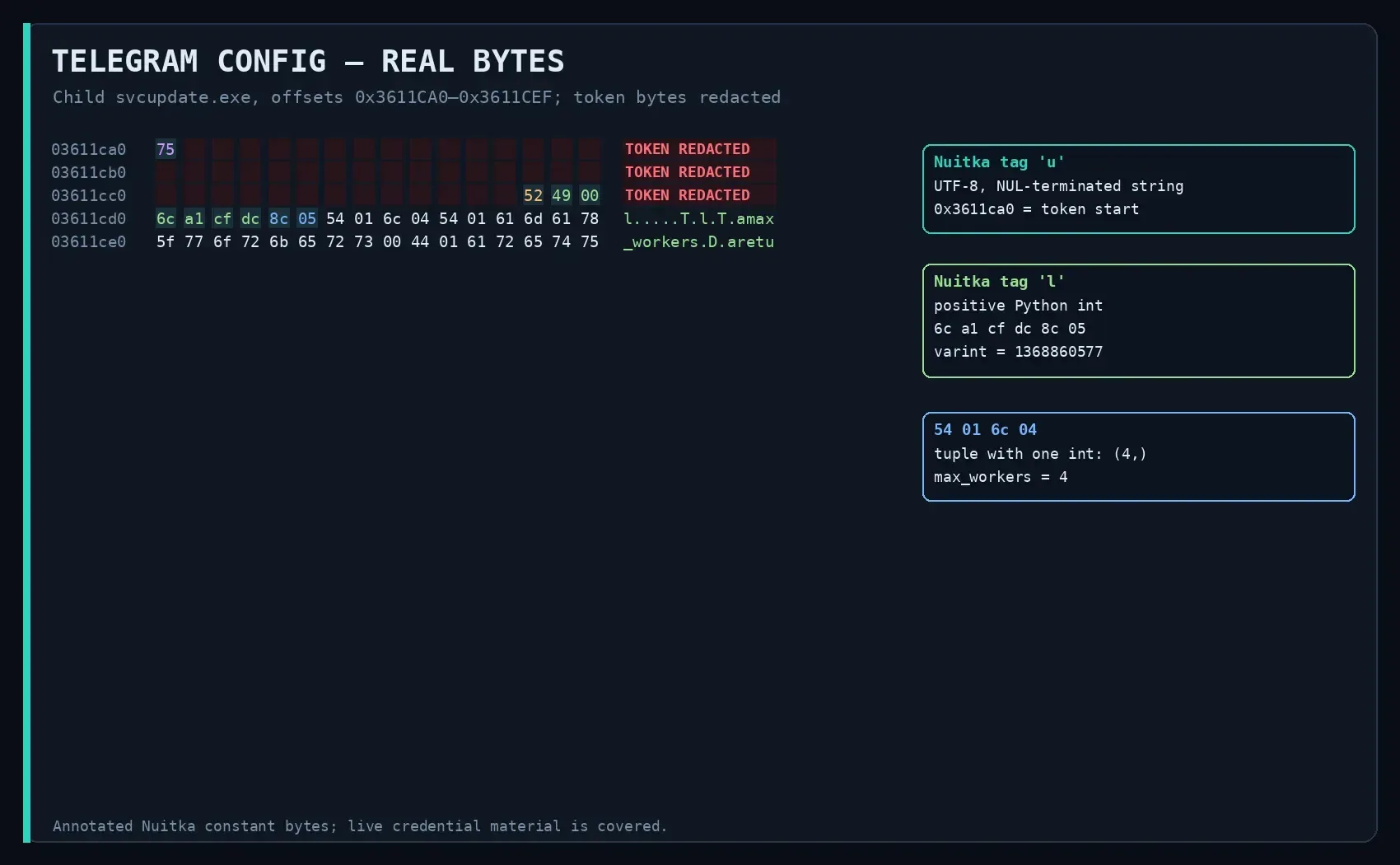
Recovered configuration:
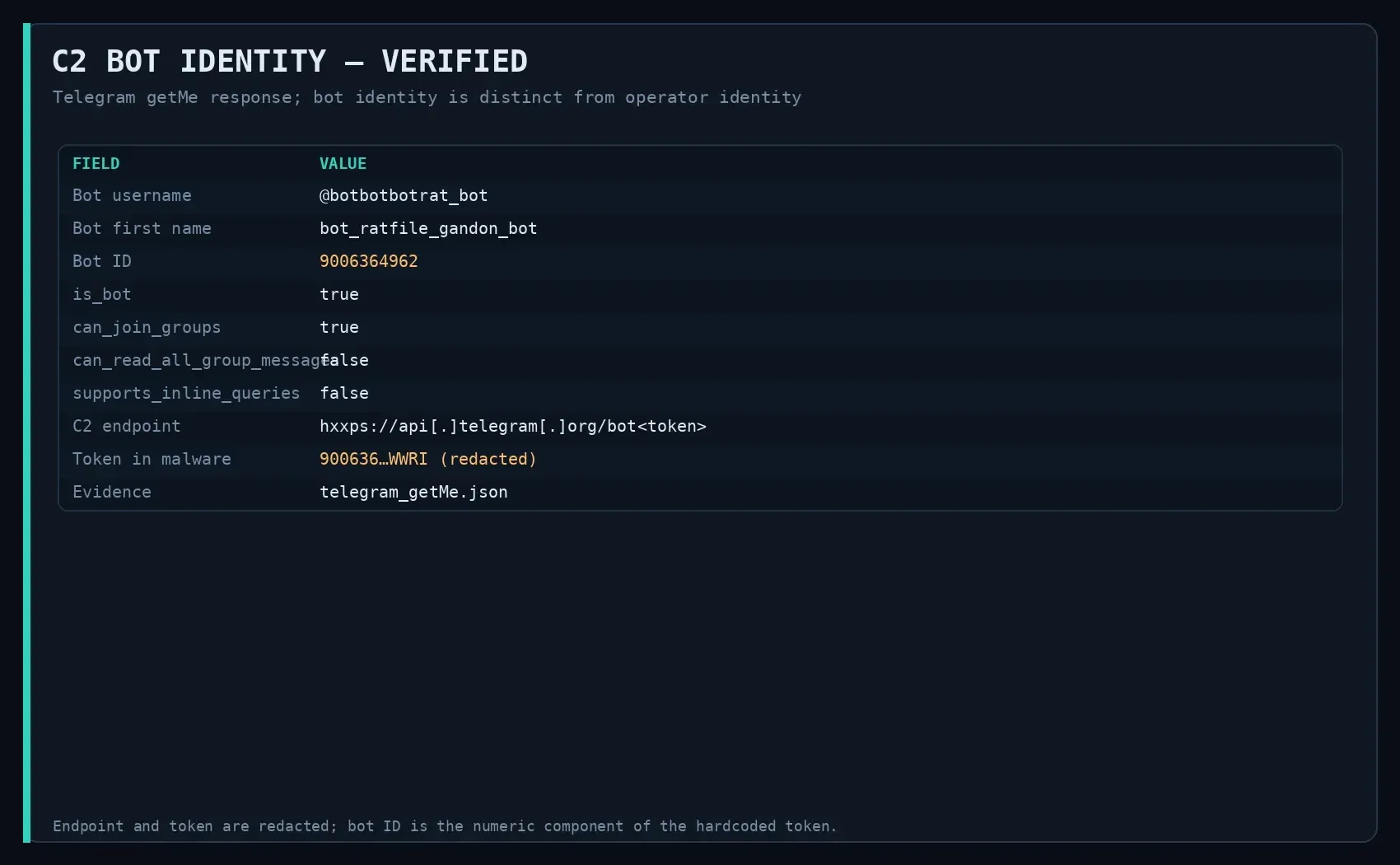
Bot API:       hxxps://api[.]telegram[.]org/bot<token>
Token:         900636…WWRI
Operator chat: 1368860577
Command:       /start, /menu
Callback data: webcam, screen, screen_all, steal_ds, steal_br, wifi, kill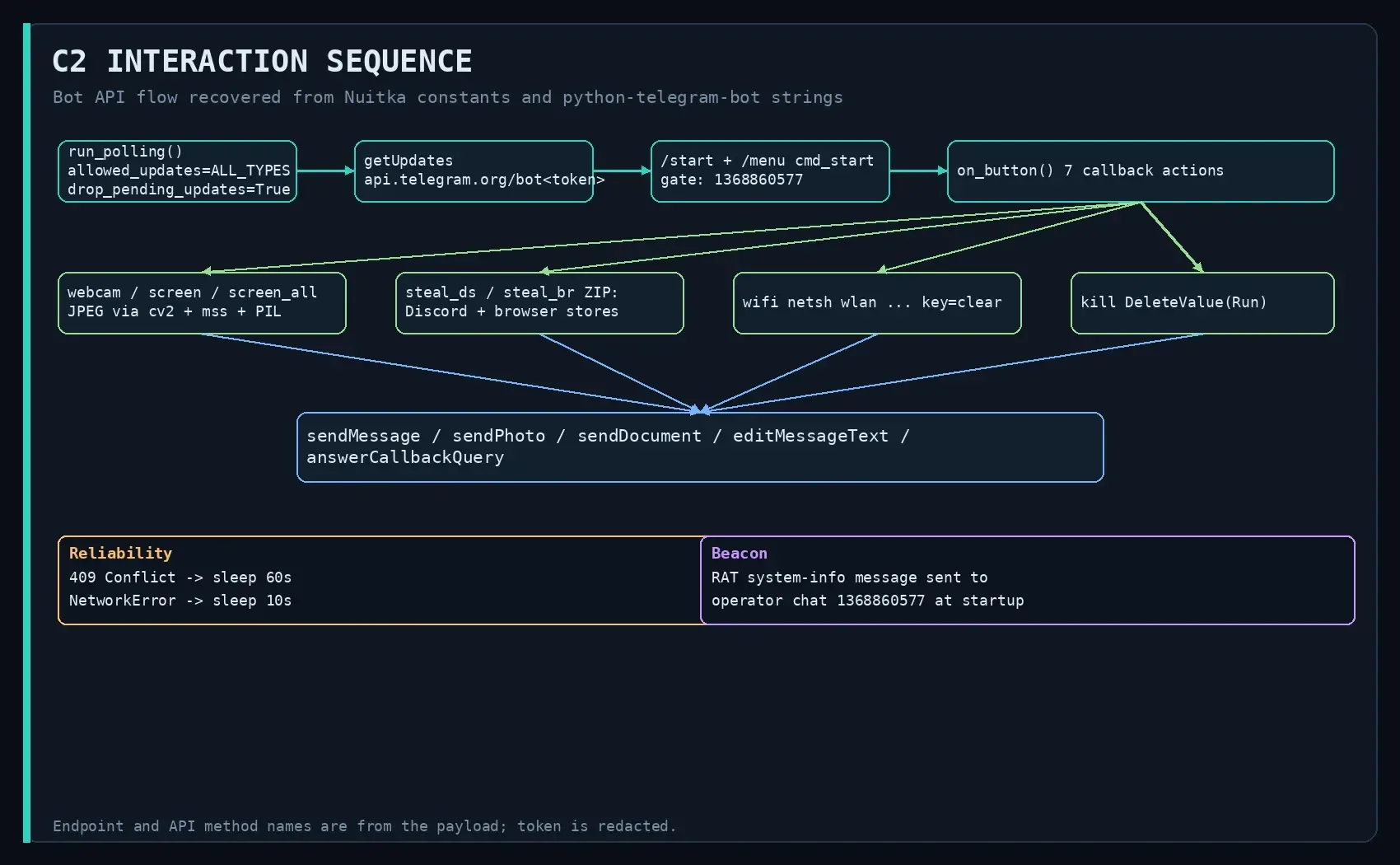
At startup the malware sends a system-information beacon to the operator chat. The message begins with a RAT marker and includes the local username, hostname, platform, external IP from hxxps://api[.]ipify[.]org, and a timestamp formatted as %Y%m%d_%H%M%S.
Observed outbound Bot API methods are:
sendMessagesendPhotosendDocumenteditMessageTextanswerCallbackQuery
Incoming updates are consumed through getUpdates long polling. A 409 Conflict response triggers a 60-second sleep; network errors trigger a 10-second sleep.
Operator and bot resolution#
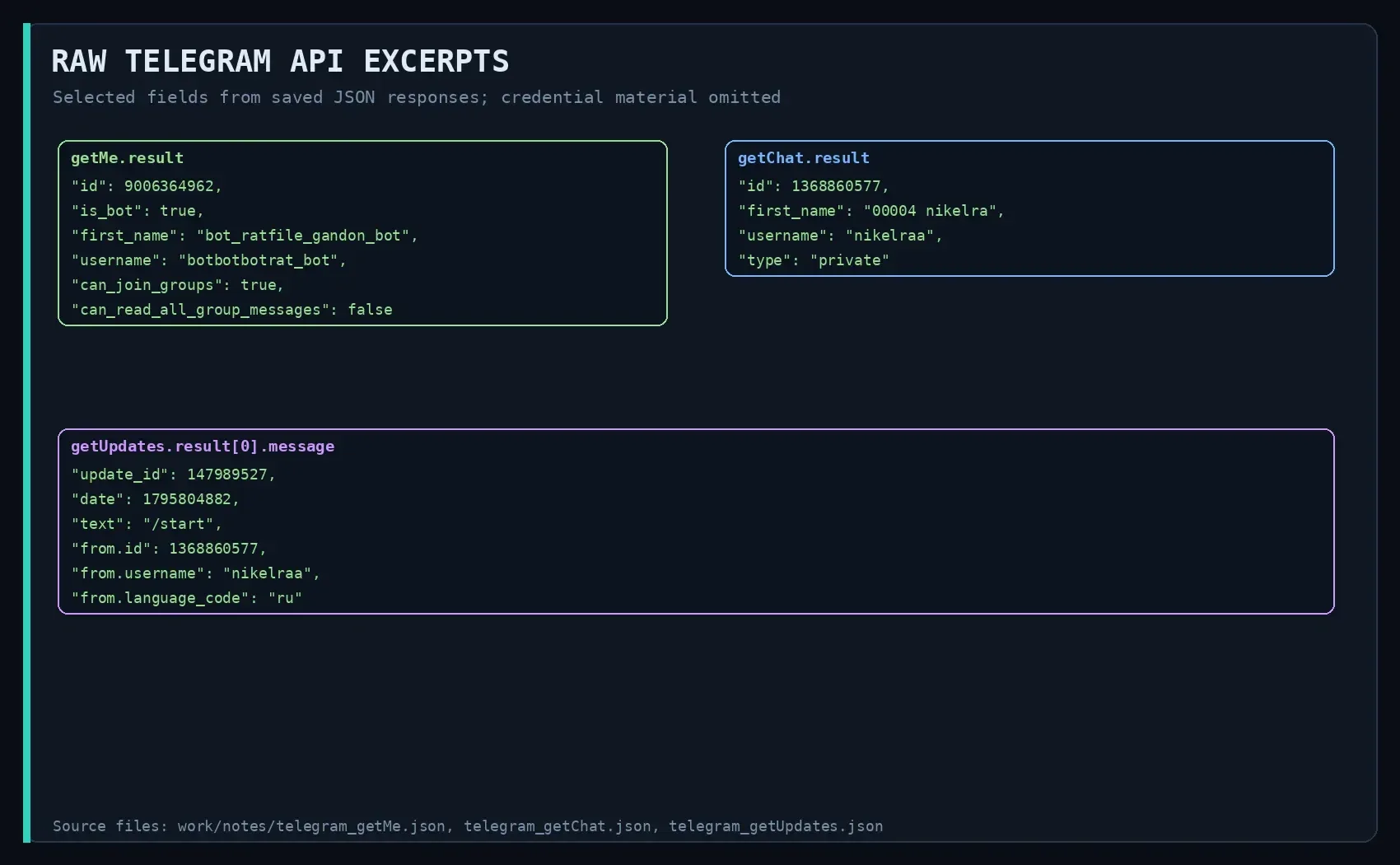
The bot token resolves to @botbotbotrat_bot, bot ID 9006364962, with first name bot_ratfile_gandon_bot. The bot can join groups but does not have group-message privacy disabled.
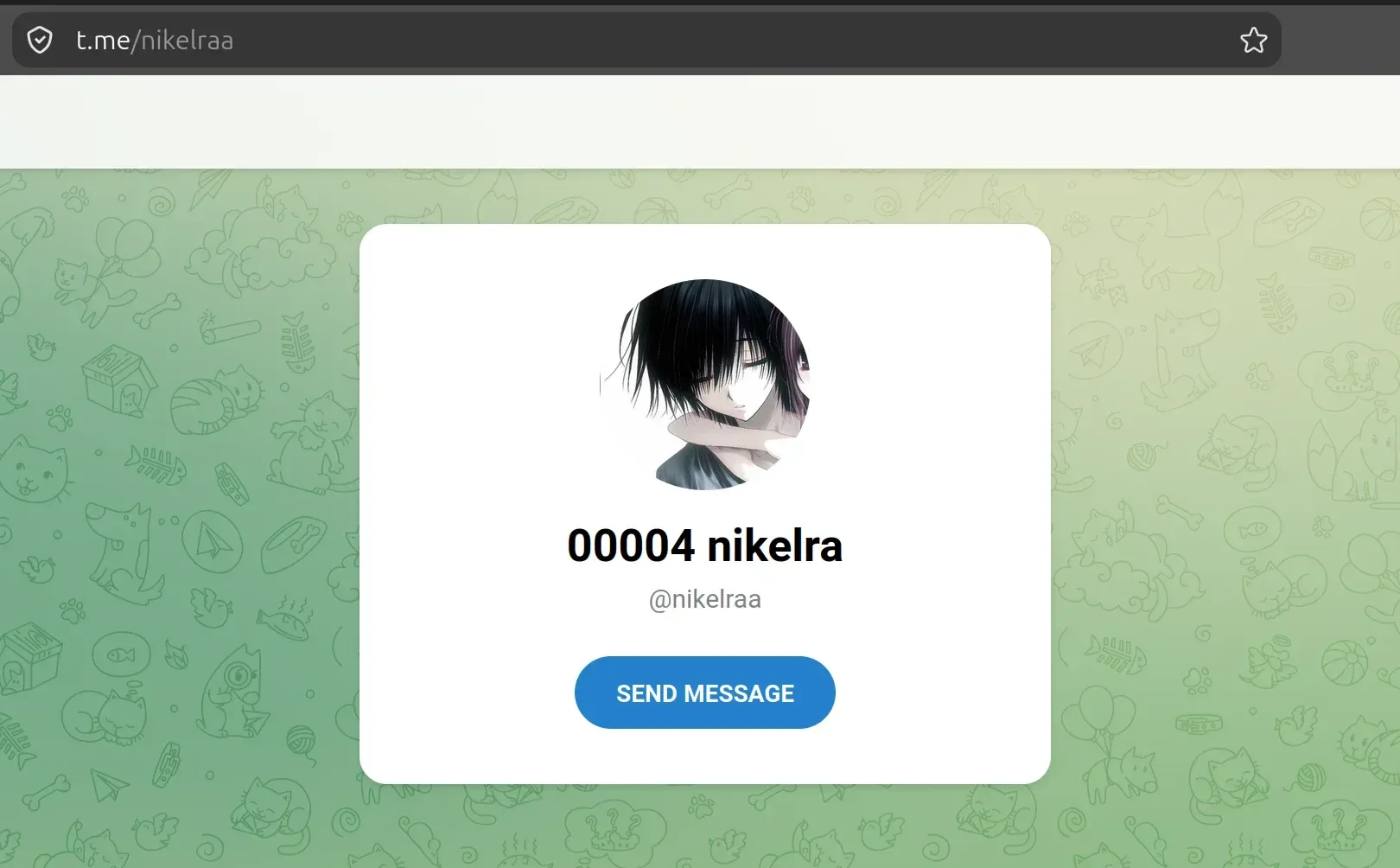
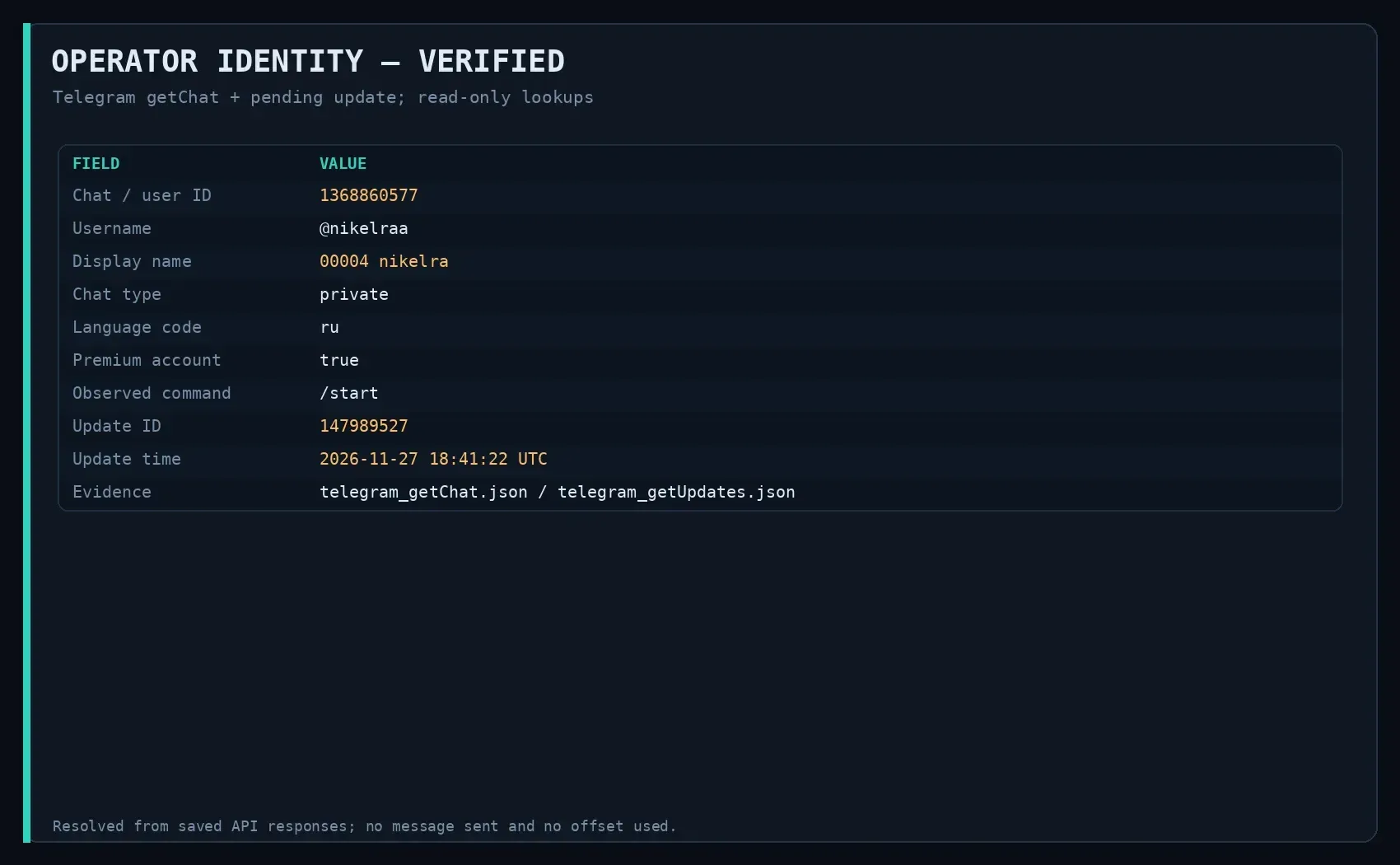
The operator chat ID 1368860577 resolves to a private chat with username @nikelraa and display name 00004 nikelra.
Collection capabilities#
The inline keyboard dispatches seven actions:
| Action | Behavior |
|---|---|
webcam |
OpenCV VideoCapture with CAP_DSHOW, JPEG encode via imencode |
screen |
Single-monitor capture through mss, converted to JPEG with PIL |
screen_all |
All-monitor capture through mss, converted to JPEG with PIL |
steal_ds |
ZIPs Discord, Discord PTB, and Discord Canary Local State and Cookies, excluding .ldb and .log files |
steal_br |
ZIPs browser credential and cookie stores from Chrome, Edge, Opera, Brave, Yandex, and Firefox |
wifi |
Runs netsh wlan show profile with key=clear, decodes output as CP866, extracts Wi-Fi passphrases |
kill |
Removes the registry Run value used for persistence |
Browser targets include User Data\Local State, Login Data, Web Data, cookies.sqlite, logins.json, and key4.db. Collected ZIPs and images are returned to the operator through Telegram sendDocument and sendPhoto.
Detection opportunities#
Stable indicators and behaviors:
- Process execution from
%APPDATA%\Microsoft\Windows\SystemData\svcupdate.exe. - Registry value
WindowsSystemUpdateunder the user Run key. - A GUI executable carrying
NUITKA_ONEFILE_PARENT,NUITKA_ONEFILE_DIRECTORY, andNUITKA_ONEFILE_RANDOMstrings. - A
KAYmarker followed by a zstd frame in a PE resource section. - HTTPS traffic to
api.telegram.org/bot…from a process namedsvcupdate.exe. netsh wlan show profile … key=clearspawned by a GUI process.- Creation of in-memory ZIP archives containing browser or Discord credential files.
Relevant MITRE ATT&CK techniques include T1547.001 (Registry Run Keys), T1071.001 (Web Protocols), T1041 (Exfiltration Over C2 Channel), T1125 (Video Capture), T1113 (Screen Capture), T1555.003 (Credentials from Web Browsers), T1082 (System Information Discovery), T1016 (System Network Configuration Discovery), T1140 (Deobfuscate/Decode Files), T1027.002 (Software Packing), and T1036.005 (Masquerading).
Indicators#
Outer SHA-256:    667258f4b0feb8a96338bcf84d796b1f672ab6060d9e8cd8ca0954997be54855
Child SHA-256:    3bb0865c52322b80b3a22b386cb6c14ff0c8ca9ffff8197bd22c371fa8b67f7a
Archive SHA-256:  15413a3f864a2def41bac82e734c917888e14c16225e0a35daac6859ab17caf3
Bot username:     @botbotbotrat_bot
Bot ID:           9006364962
Operator ID:      1368860577
Operator handle:  @nikelraa
Endpoint:         hxxps://api[.]telegram[.]org/bot
IP service:       hxxps://api[.]ipify[.]org
Run value:        WindowsSystemUpdate
Payload path: %APPDATA%\Microsoft\Windows\SystemData\svcupdate.exeConclusion#
svcupdate.exe is a two-stage Nuitka-packaged Telegram RAT. Its native stage is an unpacker and launcher; the compiled Python child implements persistent access, system discovery, media capture, browser/Discord/Wi-Fi credential theft, and exfiltration over the Telegram Bot API. The Microsoft-looking version information and service-host naming are deliberately chosen to blend into a Windows environment, while the actual operator interface is a compact Russian-language Telegram menu.